5 Warning Signs Your Benefits Administration Process Is Putting Clients at Risk
Administr
Administr Team
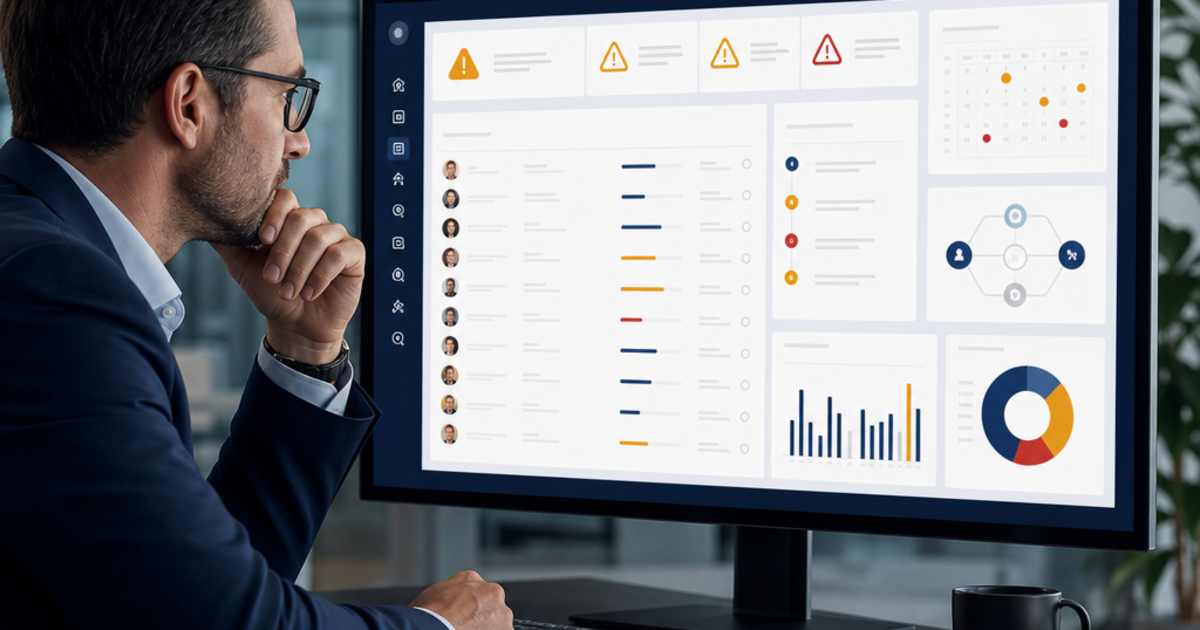
Benefits administration problems rarely begin with a dramatic failure. They begin with a census that has not been updated in three weeks. A compliance deadline stored in one person's calendar. A qualifying life event that arrives by email and never reaches payroll. A carrier record that disagrees with the enrollment platform. A renewal report built from data nobody fully trusts.
Each issue can look manageable on its own. Together, they create a process that exposes clients to payroll mistakes, coverage disputes, compliance penalties, employee frustration, and avoidable renewal risk. The broker often discovers the weakness only after an employee is missing coverage or a client receives a notice. By then, the agency is responding to a visible problem instead of correcting the operating condition that caused it.
The strongest brokers learn to recognize risk earlier. They watch for signals that employee data is becoming stale, that compliance depends too heavily on manual reminders, that life events are falling between systems, that disconnected tools are creating duplicate records, and that reporting cannot answer basic client questions. These five warning signs reveal whether a benefits administration process is controlled, scalable, and trustworthy — or whether it is one busy season away from breaking.
Why process risk is also client retention risk
Clients do not usually evaluate their broker by reviewing an internal workflow diagram. They evaluate the outcomes. Was the new hire enrolled on time? Did payroll deduct the correct amount? Did the employee who added a child receive coverage by the promised date? Did the broker identify a compliance concern before it became a penalty? Did the renewal report explain what happened during the year?
When the process works, the broker appears prepared and reliable. When it fails, the client experiences confusion, extra work, and uncertainty. Even if the agency ultimately fixes every problem, repeated corrections change the relationship. The client starts checking the broker's work instead of trusting it. HR begins maintaining backup spreadsheets because the official system no longer feels dependable. Renewal becomes an evaluation of service failures rather than a strategic planning conversation.
That is why operational risk and retention risk are connected. A modern benefits administration platform should do more than store elections. It should help the agency maintain current data, automate routine controls, connect downstream systems, and give clients a clear view of what is happening. If the current process cannot do those things consistently, the warning signs below will usually appear first.
Warning sign 1: Employee data is already stale when the team uses it
Stale employee data is one of the most common and expensive signs of a weak benefits process. The agency pulls a census for quoting, enrollment, compliance, or reporting, but the file is already missing recent hires, terminations, salary changes, work-location updates, or dependent information. Staff know the export is incomplete, so they compare it with emails, payroll files, and personal notes before using it.
The warning is not merely that data changes. Employee data will always change. The warning is that the process does not have a reliable way to capture those changes and distribute them to every system that depends on them.
How stale data creates client risk
A single outdated field can affect several outcomes. An incorrect employment status may leave a terminated employee active with a carrier. A missing salary adjustment may distort an ACA affordability calculation. An old address may prevent required documents from reaching an employee. A dependent without a current eligibility status may remain on coverage after the plan rules no longer allow it.
Stale data also weakens renewal analysis. If the employee population, coverage tiers, or contribution structure in the quoting tool does not match the current book, the comparison may be mathematically correct and strategically misleading. The broker can spend hours building recommendations on top of a census that no longer reflects the client.
The agency pays twice: first through the correction work and then through the lost confidence when the client sees that the broker's numbers do not match payroll or HR.
Questions that reveal the problem
- How often is employee data synchronized between the HRIS, payroll system, enrollment platform, and carrier?
- Who owns updates for hires, terminations, salary changes, work locations, and employment classes?
- Can the team identify which system contains the authoritative value when two records disagree?
- How many spreadsheets or email threads must be checked before a census can be considered current?
- Does the agency know when a record changed and which downstream systems received the update?
If the answer to those questions depends on one experienced account manager, the process is not controlled. It is relying on institutional memory.
How to reduce the risk
Define a system of record for each critical data category and connect it to the systems that consume the information. Employee status and compensation may originate in the HRIS. Elections and dependent information may be owned by the enrollment platform. Deductions should flow from the approved election rather than being independently retyped into payroll.
Connected HRIS and payroll integrations eliminate many of the exports and imports that allow data to become stale. The goal is not to remove human review. It is to make review exception-based, so the team focuses on conflicting or incomplete records instead of manually confirming every routine update.
A monthly accuracy review should also compare a representative sample across the HRIS, enrollment system, payroll, and carrier records. Track the type of discrepancy, its source, and the time required to fix it. That turns data quality from a vague concern into a measurable operating metric.
Warning sign 2: Compliance is tracked through spreadsheets and calendar reminders
A spreadsheet can organize work. It cannot monitor a changing employee population in real time. Yet many agencies still manage ACA thresholds, affordability checks, filing deadlines, ERISA documents, and other compliance responsibilities through manually updated sheets and personal calendar reminders.
The warning sign appears when the agency's confidence depends on whether a particular person remembered to update the file. If the compliance process would become unclear when that person takes a vacation or leaves the agency, the client is exposed.
Why manual compliance tracking fails
Compliance obligations are connected to live data. A variable-hour employee may cross an hours threshold. A salary adjustment may change an affordability calculation. A new work location may introduce a state-specific requirement. A plan change may create a new document or notice obligation. A static checklist cannot detect those changes unless someone manually updates the underlying information and reruns the review.
Manual tracking also creates a timing problem. A quarterly review may eventually identify an issue, but identifying it after the corrective window closes is not enough. The value of compliance monitoring comes from surfacing the exception while the client can still act.
Penalties are only part of the risk. A missed requirement forces the broker into a reactive conversation with the client: what happened, why it was not caught, and who is responsible. Even when the financial impact is limited, that conversation can damage the relationship more than the cost itself.
Questions that reveal the problem
- Are affordability and hours-threshold checks tied to current payroll and employment data?
- Does the system create an alert when a relevant employee value changes?
- Can more than one person see upcoming deadlines and open compliance items?
- Is there a record of who reviewed an exception, what decision was made, and when it was resolved?
- Would the process continue without interruption if the primary compliance owner were unavailable?
How to reduce the risk
Move from periodic compliance checking to continuous exception monitoring. Real-time compliance monitoring can watch the underlying employee and plan data, flag changes that require review, and maintain a shared queue of deadlines and unresolved items.
The broker still provides judgment and should involve legal or tax professionals when appropriate. Automation does not replace expertise. It makes sure expertise is applied to the right issue at the right time, with a clear record of the data and actions involved.
Create escalation rules for every alert category. Define who owns the first review, when the client must be notified, when an item should be escalated, and what evidence closes it. An alert without an owner is simply a more modern version of a forgotten calendar reminder.
Warning sign 3: Qualifying life events arrive through email and are tracked manually
Life events are where benefits processes are tested between enrollment periods. Marriage, divorce, birth or adoption, loss of other coverage, a move, or a change in employment status can trigger election rights, documentation requirements, and strict deadlines. If those events enter the process through a general email inbox, the agency is relying on people to interpret the event correctly, remember the deadline, request the right documents, update the right systems, and confirm completion.
The warning sign is visible when account managers maintain personal lists of open life events or when HR repeatedly asks the broker for status updates. It is also visible when employees do not know where to report an event and send the information to whichever contact they remember from open enrollment.
How missed life events create client risk
A late or mishandled life event can prevent an employee from changing coverage during the permitted window. It can also produce conflicting effective dates across payroll, enrollment, and carrier systems. When the discrepancy is discovered, the agency may need to request a retroactive correction from the carrier, adjust deductions, refund or collect premiums, and explain the situation to the employee.
The operational work is significant, but the human impact is larger. Employees report life events during moments that are already important or stressful. A new parent should not have to call three times to confirm that a child was added to coverage. An employee who lost other insurance should not discover after the deadline that an email was overlooked.
Questions that reveal the problem
- Do employees have one clear place to report a qualifying life event?
- Does the workflow identify the applicable enrollment window and deadline automatically?
- Are required documents requested and tracked within the same workflow?
- Can HR, the broker, and the employee see the status without sending another email?
- Do approved changes flow to payroll and the carrier with the correct effective date?
How to reduce the risk
Use a guided employee self-service portal as the entry point. The employee selects the event, enters the relevant date, uploads documentation, and receives clear instructions about the next step. The platform validates the event against plan rules, opens the correct election window, and routes exceptions for review.
The workflow should remain visible from intake through carrier confirmation. Automated reminders can prompt employees for missing documents and alert the account team as a deadline approaches. Once approved, the change should update the enrollment record and trigger the required payroll and carrier actions without a second round of manual data entry.
This is not only a service improvement. It creates an audit trail that shows when the event was reported, what documentation was provided, who approved it, and when the downstream systems were updated.
Warning sign 4: The team re-enters the same information across disconnected systems
Disconnected systems are often accepted as a normal part of agency operations. The CRM holds client notes. The quoting tool contains the census used for renewal. The enrollment platform stores elections. Payroll receives a spreadsheet. Carrier portals maintain another version of the employee record. Marketing software sends enrollment communications. Staff move information between them manually because no single platform has the complete picture.
The clearest warning sign is duplicate data entry. If the team enters the same employee, plan, client, or election information more than once, the process is creating both a labor cost and an accuracy risk.
How disconnected tools create client risk
Every manual handoff can create a mismatch. A plan name may be shortened differently. A coverage tier may be mapped to the wrong deduction. A corrected census may be uploaded to one tool while the older version remains in another. A terminated employee may disappear from payroll but remain active with the carrier.
Disconnected systems also slow down problem resolution. When a client asks why a deduction changed, the account manager has to compare the election, payroll record, carrier status, and prior communication across several applications. The answer may exist, but finding it consumes time and makes the agency appear less prepared.
The hidden cost of fragmented software compounds as the agency grows. More clients create more transfers, more duplicate records, and more opportunities for systems to disagree. Hiring another account manager may increase capacity temporarily, but it does not correct the process that creates the work.
Questions that reveal the problem
- How many systems must a team member open to answer a basic client or employee question?
- Where does the census move through an export-and-import step?
- Is quoting data re-entered when a client moves into enrollment?
- Are payroll deductions typed from a separate election report?
- Can the agency identify which system is authoritative when records disagree?
How to reduce the risk
Map the client journey from quoting through renewal, enrollment, payroll, carrier submission, service, and reporting. Mark every point where information is copied, exported, reformatted, or re-entered. Those handoffs are the highest-priority integration and consolidation opportunities.
A unified platform should allow the census used for quoting to become the foundation for enrollment, allow approved elections to drive payroll deductions, and preserve client history in an integrated CRM. The goal is not consolidation for its own sake. It is preserving one trustworthy record as the client moves through the workflow.
Where separate systems must remain, use documented integrations with visible error handling. The team should know when a synchronization ran, which records succeeded, which failed, and who owns the correction. A connection that silently drops errors does not remove risk.
Warning sign 5: Reports describe activity but cannot explain outcomes
Poor reporting is more than a presentation issue. It is a sign that the process cannot convert its data into decisions. Many agencies can report how many employees enrolled or how many tickets were closed. Fewer can explain why enrollment completion changed, which clients generate the most exceptions, where payroll discrepancies originate, or which plan design changes may improve employee engagement.
The warning sign appears when every client report requires a custom spreadsheet project or when the team avoids sharing metrics because the numbers across systems do not agree.
How weak reporting creates client risk
Without reliable reporting, problems remain invisible until someone complains. A rising number of incomplete enrollments may indicate that employees do not understand the plan options. Repeated payroll adjustments may reveal a broken deduction mapping. Low self-service engagement may mean employees are relying on HR for tasks they should be able to complete independently.
Poor reporting also weakens renewal strategy. The broker cannot confidently recommend a plan change, communication campaign, or contribution adjustment without current enrollment, utilization, engagement, and service data. The conversation becomes centered on carrier rates rather than the broader performance of the benefits program.
Finally, reporting affects retention. Clients expect their broker to explain what happened during the year and what should happen next. If the agency can only present a collection of exports, the client may conclude that another broker with stronger technology can provide better insight.
Questions that reveal the problem
- Can the team produce a current client report without combining multiple exports?
- Do enrollment, payroll, carrier, and CRM totals agree?
- Can reports identify exceptions and trends, not just completed activity?
- Are clients receiving proactive insights between enrollment and renewal?
- Can the agency measure error rates, correction time, enrollment completion, employee engagement, and open compliance items?
How to reduce the risk
Start with a small set of operational and client-facing metrics. Track enrollment completion, outstanding documentation, rejected carrier records, payroll adjustments, open life events, compliance exceptions, response time, and employee self-service usage. Every metric should have a clear definition and a known data source.
Use automated benefits reporting to create a consistent client cadence. A quarterly dashboard and a structured mid-year review help the broker identify issues before renewal and show the client that the program is being actively managed throughout the year.
Reporting should lead to an action. If enrollment completion is low, adjust the communication sequence. If payroll corrections are rising, review the integration or deduction mapping. If life events remain open too long, change the escalation rule. A report that never changes the workflow is documentation, not management.
How to score your current benefits administration risk
A practical assessment does not require a long consulting project. Score each warning-sign category from zero to three:
- 0 — Controlled: The process is automated or consistently documented, exceptions are visible, and ownership is clear.
- 1 — Mostly controlled: The process works reliably but contains one or two manual handoffs or reporting gaps.
- 2 — Exposed: The process depends on spreadsheets, email, duplicate entry, or a single employee's knowledge.
- 3 — High risk: The agency has experienced recent errors, missed deadlines, unresolved discrepancies, or client complaints in this area.
Add the scores across the five categories. A total of zero to four indicates a generally controlled process with targeted opportunities for improvement. Five to nine suggests that the agency is carrying meaningful operational risk and should prioritize the highest-scoring categories. Ten to fifteen indicates that the current model is likely affecting client experience, staff capacity, or compliance confidence already.
The score is not a formal compliance opinion. It is a way to focus the team's attention. The most useful result is not the total. It is agreement about which weakness creates the most frequent or consequential problems.
Fix the risk in the right order
Agencies often begin with the most visible symptom: redesigning a report, cleaning a spreadsheet, or adding another reminder. Those fixes can help temporarily, but the strongest sequence addresses the underlying data and workflow first.
- Establish data ownership. Decide which system owns each employee, plan, election, payroll, and carrier field. Remove ambiguity before adding automation.
- Connect the highest-risk handoffs. Prioritize HRIS-to-enrollment, enrollment-to-payroll, and enrollment-to-carrier workflows where manual re-entry creates coverage or deduction risk.
- Standardize life-event intake. Give employees and HR one guided process with deadlines, documentation, status visibility, and downstream updates.
- Automate compliance exceptions. Tie alerts to current employee and plan data, then define ownership and escalation for every alert.
- Build reporting on the controlled process. Once the underlying data is current and connected, use reporting to monitor outcomes and improve the workflow continuously.
This order matters. A polished dashboard built on stale, fragmented data creates false confidence. Clean data and controlled workflows make reporting useful.
What a lower-risk process looks like
In a controlled benefits administration process, employee changes enter through a defined system and update the systems that need them. Life events have visible deadlines and status. Compliance monitoring uses current data and creates shared exceptions. Quoting, enrollment, payroll, and carrier records remain connected. Reports explain both what happened and what the broker recommends next.
The team still handles exceptions, advises clients, and applies professional judgment. The difference is that routine work does not depend on memory, duplicate entry, or another spreadsheet. The platform makes the normal path consistent and makes the unusual path visible.
That operating model protects clients and gives the agency room to grow. Producers can focus on plan strategy and relationships. Account managers can manage true exceptions instead of reconciling routine records. Clients receive faster answers and fewer surprises. Employees experience coverage and deductions that match what they selected.
How Administr helps brokers address all five warning signs
Administr brings centralized employee and plan data, digital enrollment, guided life-event workflows, real-time compliance monitoring, integrated CRM context, automated reporting, and HRIS, payroll, and carrier connections into one benefits administration platform.
That connected foundation helps agencies replace stale exports with synchronized data, replace personal compliance calendars with shared exception monitoring, replace life-event email chains with guided workflows, replace duplicate entry with integrations, and replace custom reporting projects with current client insights.
If any of these five warning signs feel familiar, the next step is not another spreadsheet. It is identifying which handoff, data source, or manual control creates the greatest client exposure and redesigning that part of the process first. Book a demo to see how Administr can help your agency reduce benefits administration risk while recovering time for client service and growth.